SQL Query Optimization Tips
The most important part and parcel of a Database management system is the SQL. It will differ from product to product. Given below are some tips on how to write a well optimized query and avoid performance bottlenecks.
Primary verification of the SQL.
1) The SQL query will need to be verified by two parameters
1. The SQL returns the appropriate results.
2. The SQL adequately addresses the issues of optimization and efficiency.
SQL processing.
When we write a query and process the same, we are carrying out other overhead operations to finally fetch the appropriate result. A typical query undergoes the process of (a) Parsing (b) Actual execution (c) and Fetch. When we tune/ optimize the SQL query, we are in fact finetuning the performance of one of these aspects. The result is faster time to generate the result and hence optimization.
Parsing includes
- Verification of query syntax
- Verification of objects
Execution includes
- The process of actual reads, writes in order to achieve the desired result.
Fetch includes
- Retrieval of the result rows and final display (such as ordered).
A very good method to counter the parsing time is to make extensive and judicious mix of Procedures, packages, views, functions and so on. Most RDBMS optimizers work on the principle of reducing the query complexity by arriving at the optimized way of execution. With increase in query complexity, it is found that the optimizer too takes a longer time to process the query.
Certain tips to work towards an optimized query.
1) Practically it is always feasible to tune the query after initial verification of the validity and working of the query.
2) Ensure that the SQL statements are written in a uniform and identical manner throughout to aid re-use. The added advantage is the avoidance of re-parsing when the optimizer encounters a similar query.
3) When working with large tables, avoid the usage of SELECT * to increase efficiency. Make sure to use the necessary column names and query the table for these columns only.
1. E.g. IF there exists a table called EMPLOYEE, with around 36 fields, it is better to use the relevant columns in the SELECT clause instead of using SELECT *
SELECT emp_id, emp_name, emp_bonus
FROM employee
is faster than using
SELECT *
FROM employee
4) Make judicious usage of the GROUP BY and ORDER BY. Verify if we can have alternate solutions instead of using GROUP BY and ORDER BY.
5) Desist from making use of HAVING clause with the GROUP BY all the time. Use it only if it is unavoidable.
SELECT empname
FROM employee
WHERE empname = ‘Abhilash’
Is better than
SELECT empName
FROM employee
GROUP BY empname
HAVING empname = ‘Abhilash’
6) Let us compare the following two queries.
SELECT emp_ID, empname, salary
WHERE salary > 0
And
SELECT emp_ID, empname, salary
WHERE salary != 0
The query written as
SELECT emp_ID, empname, salary
WHERE salary > 0 is more optimized than the other and will return a low cost.
7) Usage of an appropriate join will be more advantages than using a sub-query due to parsing constraints.
8) Avoid queries with full table scan unless it is warranted for.
9) Judiciously use the Table JOINS, IN and EXISTS.
10) Using the IN in a subquery is faster than using other constructs
11) Whenever possible use a non-column expression. A non-column expression indicates having the FIELD COLUMN on one side of the equation/ operator and the values on the other side.
E.g
A condition to verify for the electric charge and its slab_rate can be written in the following form.
Using the expression
WHERE Elec_Charge < 750/(1 + slab_rate)
Will be always faster than using
WHERE Elec_Charge + (slab_rate * Elec_Charge) < 750
12) Using the IN with a subquery holds good while using EXISTS within the parent query works better.
13) Using IN within the parent query tends to be slow.
14) Using image/ objects within the table tends to slow down the query. Instead use the underlying file system to save these objects and refer to these objects by using a pointer stored in the database table.
15) Avoid having full table scans for very large tables.
16) Verify proper usage of the indexes in order to derive the best out of the database.
17) Using EXISTS instead of IN definitely works faster.
E.g.
SELECT title
FROM titles
WHERE EXISTS
(SELECT *
FROM publishers
WHERE pub_id = titles.pub_id
AND city LIKE ‘B%’)
is faster than using the query with the IN
SELECT title
FROM titles
WHERE pub_id IN
(SELECT pub_id
FROM publishers
WHERE city LIKE 'B%')
18) In cases when we encounter a NOT IN, try writing the same query using an OUTER JOIN. Definitely helps.
E.g.
SELECT Order_id from Order
WHERE Order_id NOT IN (SELECT Order_id from Sales)
Can be rewritten using
SELECT o.Order_id from Order o, sales s
WHERE o.Order_Id = s.Order_ID(+)
19) Avoid the usage of LIKE. Instead use the equality operation, which works faster.
Hope this holds good for you. Get back with your comments and suggestions. Thank you.
Showing posts with label SQL commands. Show all posts
Showing posts with label SQL commands. Show all posts
Tuesday, January 12, 2010


Friday, November 21, 2008
Database Testing - Using SQL commands
Database Testing – Using SQL Commands
In order to do complete justice to the Database testing, it is equally important to know the various SQL commands. You will find below the commonly used SQL commands that could be put to use to test the concerned database.
SELECT clause
SELECT “col_name” FROM “table_name”
E.g.
SELECT store_name FROM store_information
DISTINCT clause
SELECT DISTINCT “column_name” FROM “table_name”
E.g.
SELECT DISTINCT store_name FROM store_information
WHERE clause
SELECT “col_name” FROM “table_name” WHERE “condition”
E.g.
SELECT store_name
FROM store_information
WHERE sales > 1000
AND/ OR conditions
SELECT store_name
FROM store_information
WHERE sales > 1000
OR (Sales < 600 AND Sales > 275)
Using IN
SELECT *
FROM store_information
WHERE store_name IN (‘Delhi’, ‘Mumbai’)
Using BETWEEN
SELECT *
FROM store_information
WHERE sales_date BETWEEN ‘Jan-06-1999’ AND ‘Jan-10-1999’
Using LIKE patterns
Typical patterns used with LIKE are
- ‘A_Z’
- ‘ABC%’
- ‘%MUM’
- ‘%AN%’
SELECT *
FROM store_information
WHERE store_name LIKE ‘%AN%’
Will display all those store_names with two consecutive characters as ‘AN’
Something like
‘Bangalore’
‘Mangalore’
ORDER BY clause
SELECT store_name, sales, Sales_date
FROM store_information
ORDER BY sales DESC
Will display the store_name, sales and sales_date columns in the descending order of the sales value.
Aggregate functions
These functions act on a numeric data to generate aggregation.
The aggregate functions are
- AVG
- COUNT
- MAX
- MIN
- SUM
SUM
SELECT SUM(sales) FROM store_information
Will generate the sum of the entire sales value within the sales_information table.
COUNT
SELECT COUNT(store_name) FROM store_information
Will count and display the total number of store names from the store_information table.
Using GROUP BY clause
SELECT store_name, SUM(sales)
FROM store_information
GROUP BY store_name
Will display store_name and the sum against each store_name. Here you will find that basic query column is the store_name and the associated aggregate function is the SUM of the sales value.
Using HAVING clause
Acts on the Grouped by details to induce a condition on the aggregate.
SELECT store_name, SUM(sales)
FROM store_information
GROUP BY store_name
HAVING SUM(sales) > 1500
Will first get the aggregate SUM of sales value against each store_name. The HAVING will exercise the additional condition of the SUM being greater than 1500. Only these records will be displayed.
Using JOINS
SELECT A1.region_name REGION, SUM(A2.Sales) SALES
FROM Geography A1, Store_information A2
WHERE A1.Store_name = A2.store_name
GROUP BY A1.region_name
Will match the column “store_name” from tables “Geography” and “Store_information” and display the output grouped by REGION.
OUTER JOIN
SELECT A1.region_name REGION, SUM(A2.Sales) SALES
FROM Geography A1, Store_information A2
WHERE A1.Store_name = A2.store_name (+)
GROUP BY A1.store_name
Will display output even if there are no matches in the second table.
Other way of writing the same is
SELECT A1.region_name REGION, SUM(A2.Sales) SALES
FROM Geography A1
LEFT OUTER JOIN Store_Information A2
ON A1.store_name = A2.store_name
GROUP BY A1.store_name
Using UNION
SELECT sales_date FROM store_information
UNION
SELECT S_date FROM Internet_Sales
Will display the sales_date and S_date from the respective tables and display the combined output.
Using INTERSECT
SELECT sales_date FROM store_information
INTERSECT
SELECT S_date FROM Internet_Sales
Will display only the common dates from each of the table.
Using MINUS
SELECT sales_date FROM store_information
MINUS
SELECT S_date FROM Internet_Sales
Will display the Date from Store_information but not available in Internet_sales
Using CONCATENATION
MySQL/ Oracle
SELECT CONCAT(region_name, store_name) FROM geography
WHERE store_name = ‘Mumbai’
Will combine the column values for region_name with store_name
E.g.
If region_name is “West” and store_name is “Mumbai”
Then result will be “WestMumbai”
In Oracle
SELECT region_name || ‘ ‘ || store_name FROM georgraphy
WHERE store_name = “Mumbai”
In SQL Server
SELECT region_name + ‘ ‘ + store_name FROM geography
WHERE store_name = ‘Mumbai’
Using SUBSTR
SELECT SUBSTR(store_name,3)
FROM geography
WHERE store_name = ‘Mumbai’
Will return the value ‘mbai’
Trim Functions
- TRIM
- LTRIM
- RTRIM
INNER JOIN
SELECT emp.Name, Orders.Product
FROM emp
INNER JOIN Orders
ON emp.emp_id = Orders.emp_id
Will display the matching records for emp_id in emp table with that of the Orders table. i.e. all those employees who have placed an order will appear in the output.
LEFT JOIN
SELECT emp.Name, Orders.Product
FROM emp
LEFT JOIN Orders
ON emp.emp_id = Orders.emp_id
Will display records from the emp table irrespective of whether it has a match in the Orders table.
RIGHT JOIN
SELECT emp.Name, Orders.Product
FROM emp
RIGHT JOIN Orders
ON emp.emp_id = Orders.emp_id
Will display records from the Orders table irrespective of the match available in the emp table.
SELF JOIN
SELECT last_name, first_name
FROM employees
WHERE city IN
(SELECT city
FROM employees
WHERE last_name = ‘Gopi’
AND first_name = ‘Abhilash’)
This query writing with a subquery will be simplified by using a SELF JOIN.
SELECT e1.last_name, e1.first_name
FROM employees e1, employees e2
WHERE e1.city = e2.city
AND e2.last_name = ‘Gopi’
AND e2.first_name = ‘Abhilash’
SUB QUERY
A SQL statement embedded within another SQL query by the means of the WHERE or the HAVING statement is called a subquery.
Syntax is
SELECT “column_name1”
FROM “table_name”
WHERE “column_name2” [COMPARISON OPERATOR]
(SELECT “column_name1”
FROM “table_name”
WHERE [Condition])
E.g.
SELECT SUM(Sales) FROM Store_Information
WHERE store_name IN
(SELECT store_name FROM geography
WHERE region_name = ‘West’)
INSERT clause
- This statement is used to insert a row of data into a table.
- All inserted values are enclosed using single quote strings.
- Syntax is
INSERT INTO table_name
(col1, col2, … colx)
Values (value1, value2, … valuex)
E.g.
INSERT INTO citylist
(name, state, population, zipcode)
Values (‘Abhilash’,’Kerala’,11400000,’682-020’)
Note that the values for name, state, and zipcode are strings and hence included in single quotes. Numeric value does not have a single quote.
UPDATE clause
- Used to update the values in a table by using a Key.
E.g.
UPDATE employee
SET Status = 0
WHERE emp_id = 111
It will set the status of the employee to 0 where the emp_id is 111
Hope these basic set of SQL commands will enable you to effectively test a database. In case of further details or special case, please do let me know. Thank you.
In order to do complete justice to the Database testing, it is equally important to know the various SQL commands. You will find below the commonly used SQL commands that could be put to use to test the concerned database.
SELECT clause
SELECT “col_name” FROM “table_name”
E.g.
SELECT store_name FROM store_information
DISTINCT clause
SELECT DISTINCT “column_name” FROM “table_name”
E.g.
SELECT DISTINCT store_name FROM store_information
WHERE clause
SELECT “col_name” FROM “table_name” WHERE “condition”
E.g.
SELECT store_name
FROM store_information
WHERE sales > 1000
AND/ OR conditions
SELECT store_name
FROM store_information
WHERE sales > 1000
OR (Sales < 600 AND Sales > 275)
Using IN
SELECT *
FROM store_information
WHERE store_name IN (‘Delhi’, ‘Mumbai’)
Using BETWEEN
SELECT *
FROM store_information
WHERE sales_date BETWEEN ‘Jan-06-1999’ AND ‘Jan-10-1999’
Using LIKE patterns
Typical patterns used with LIKE are
- ‘A_Z’
- ‘ABC%’
- ‘%MUM’
- ‘%AN%’
SELECT *
FROM store_information
WHERE store_name LIKE ‘%AN%’
Will display all those store_names with two consecutive characters as ‘AN’
Something like
‘Bangalore’
‘Mangalore’
ORDER BY clause
SELECT store_name, sales, Sales_date
FROM store_information
ORDER BY sales DESC
Will display the store_name, sales and sales_date columns in the descending order of the sales value.
Aggregate functions
These functions act on a numeric data to generate aggregation.
The aggregate functions are
- AVG
- COUNT
- MAX
- MIN
- SUM
SUM
SELECT SUM(sales) FROM store_information
Will generate the sum of the entire sales value within the sales_information table.
COUNT
SELECT COUNT(store_name) FROM store_information
Will count and display the total number of store names from the store_information table.
Using GROUP BY clause
SELECT store_name, SUM(sales)
FROM store_information
GROUP BY store_name
Will display store_name and the sum against each store_name. Here you will find that basic query column is the store_name and the associated aggregate function is the SUM of the sales value.
Using HAVING clause
Acts on the Grouped by details to induce a condition on the aggregate.
SELECT store_name, SUM(sales)
FROM store_information
GROUP BY store_name
HAVING SUM(sales) > 1500
Will first get the aggregate SUM of sales value against each store_name. The HAVING will exercise the additional condition of the SUM being greater than 1500. Only these records will be displayed.
Using JOINS
SELECT A1.region_name REGION, SUM(A2.Sales) SALES
FROM Geography A1, Store_information A2
WHERE A1.Store_name = A2.store_name
GROUP BY A1.region_name
Will match the column “store_name” from tables “Geography” and “Store_information” and display the output grouped by REGION.
OUTER JOIN
SELECT A1.region_name REGION, SUM(A2.Sales) SALES
FROM Geography A1, Store_information A2
WHERE A1.Store_name = A2.store_name (+)
GROUP BY A1.store_name
Will display output even if there are no matches in the second table.
Other way of writing the same is
SELECT A1.region_name REGION, SUM(A2.Sales) SALES
FROM Geography A1
LEFT OUTER JOIN Store_Information A2
ON A1.store_name = A2.store_name
GROUP BY A1.store_name
Using UNION
SELECT sales_date FROM store_information
UNION
SELECT S_date FROM Internet_Sales
Will display the sales_date and S_date from the respective tables and display the combined output.
Using INTERSECT
SELECT sales_date FROM store_information
INTERSECT
SELECT S_date FROM Internet_Sales
Will display only the common dates from each of the table.
Using MINUS
SELECT sales_date FROM store_information
MINUS
SELECT S_date FROM Internet_Sales
Will display the Date from Store_information but not available in Internet_sales
Using CONCATENATION
MySQL/ Oracle
SELECT CONCAT(region_name, store_name) FROM geography
WHERE store_name = ‘Mumbai’
Will combine the column values for region_name with store_name
E.g.
If region_name is “West” and store_name is “Mumbai”
Then result will be “WestMumbai”
In Oracle
SELECT region_name || ‘ ‘ || store_name FROM georgraphy
WHERE store_name = “Mumbai”
In SQL Server
SELECT region_name + ‘ ‘ + store_name FROM geography
WHERE store_name = ‘Mumbai’
Using SUBSTR
SELECT SUBSTR(store_name,3)
FROM geography
WHERE store_name = ‘Mumbai’
Will return the value ‘mbai’
Trim Functions
- TRIM
- LTRIM
- RTRIM
INNER JOIN
SELECT emp.Name, Orders.Product
FROM emp
INNER JOIN Orders
ON emp.emp_id = Orders.emp_id
Will display the matching records for emp_id in emp table with that of the Orders table. i.e. all those employees who have placed an order will appear in the output.
LEFT JOIN
SELECT emp.Name, Orders.Product
FROM emp
LEFT JOIN Orders
ON emp.emp_id = Orders.emp_id
Will display records from the emp table irrespective of whether it has a match in the Orders table.
RIGHT JOIN
SELECT emp.Name, Orders.Product
FROM emp
RIGHT JOIN Orders
ON emp.emp_id = Orders.emp_id
Will display records from the Orders table irrespective of the match available in the emp table.
SELF JOIN
SELECT last_name, first_name
FROM employees
WHERE city IN
(SELECT city
FROM employees
WHERE last_name = ‘Gopi’
AND first_name = ‘Abhilash’)
This query writing with a subquery will be simplified by using a SELF JOIN.
SELECT e1.last_name, e1.first_name
FROM employees e1, employees e2
WHERE e1.city = e2.city
AND e2.last_name = ‘Gopi’
AND e2.first_name = ‘Abhilash’
SUB QUERY
A SQL statement embedded within another SQL query by the means of the WHERE or the HAVING statement is called a subquery.
Syntax is
SELECT “column_name1”
FROM “table_name”
WHERE “column_name2” [COMPARISON OPERATOR]
(SELECT “column_name1”
FROM “table_name”
WHERE [Condition])
E.g.
SELECT SUM(Sales) FROM Store_Information
WHERE store_name IN
(SELECT store_name FROM geography
WHERE region_name = ‘West’)
INSERT clause
- This statement is used to insert a row of data into a table.
- All inserted values are enclosed using single quote strings.
- Syntax is
INSERT INTO table_name
(col1, col2, … colx)
Values (value1, value2, … valuex)
E.g.
INSERT INTO citylist
(name, state, population, zipcode)
Values (‘Abhilash’,’Kerala’,11400000,’682-020’)
Note that the values for name, state, and zipcode are strings and hence included in single quotes. Numeric value does not have a single quote.
UPDATE clause
- Used to update the values in a table by using a Key.
E.g.
UPDATE employee
SET Status = 0
WHERE emp_id = 111
It will set the status of the employee to 0 where the emp_id is 111
Hope these basic set of SQL commands will enable you to effectively test a database. In case of further details or special case, please do let me know. Thank you.
Subscribe to:
Posts (Atom)

Images - Decision tables
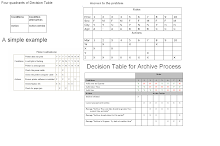
Important image details for the Decision tables
Risk Management
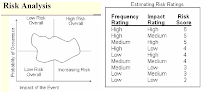
Risk Management