Good Bug Reporting
A typical software development process consists of
- Business Analysis team
- Engineering team
- QA team
- Management
Business analysis team
- Concerned with generation of business requirements.
- Are more aware of business aspects than technical aspects.
Engineering team
- Technically oriented
- They consider that the project is their “BABY”.
- Often runs into the QA team on minor misunderstandings.
QA team
- Test to break
- Communicates bugs to the Engineering team.
- Most often runs into confrontation with the Engineering team.
- Are the most misunderstood of the lot for their BREAKING work
Improving Software work products
- Basic objective of the software development process is to develop a quality product for the customer
How is it achieved?
- By developing and testing repeatedly until the desired objectives are met.
Dependencies
- Having a good cycle time between development and testing
- Proper synchronizing between the teams.
- Minimum discrepancies in report which translates down to efficient work cycle.
Bug Report
- The mainstay of the QA team.
- Communicates entire scenarios to the Engineering team for faster resolution and subsequent closure of the bug, hence the bug report must be GOOD and EASY TO UNDERSTAND.
Why Good Bug Report is needed?
- Effective communication on perceived problems/ issues to the Engineering team.
- A good bug report commands respect.
- An effective bug report ensures that nearly all the bugs are fixed/ resolved.
Why do we write bug reports?
- During the testing process, we encounter number of deviations.
- These deviations are put down and communicated to the developer.
- The developer tries to recreate the issue.
- If found, it is resolved/ fixed.
Ineffective report.
- On attempt to recreate, the issue does not crop up.
- The developer finds it difficult to understand and recreate.
- The bug details are ambiguous.
Effect
- The bugs are not fixed.
- What is the tester’s job?
- Report the bug in its true form.
- Put in elaborate details for understandability.
- Ensure that the bug is reproducible.
Good Bug Report – Features
# Your bug detail should have a unique bug ID.
- Easy for traceability
- Easy to automate , if required
- Uniquely identifies an issue to facilitate retrieval and action.
# Your bug should be reproducible
- A reproducible bug ensures resolution
- Every detail to be included in the steps to recreate
- Enables the developer to trace the steps and fix the bug accordingly.
# Be specific in reporting
- A bug detail should include details about a specific issue only.
- The detail should not combine and try to explain different scenarios
- Summary to be included within 100 characters and should clearly indicate what the bug is about.
Bug Report – Format
A typical bug report should contain
- Bug ID
- Reporter
- Product
- Version
- Component
- Platform
- Operating system
- Priority
- Severity
- Status
- Assign to
- URL
- Summary
- Description
- Steps to recreate
- Expected result
- Actual result
- Snapshots (if any)
- Attachments
Additional Tips
# Report the problem immediately
- Will ensure that you do not forget the steps
# Attempt to reproduce the bug atleast thrice before reporting
- Will ensure that the bug is clear, concise and easily understood by the developer.
# Test the bug across similar modules within the application.
- Chances are high to have the bug in other modules too.
# Good bug summary
- A typical summary is written in 100 characters, should comprise of only one sentence.
- Enables the reader to immediately get the gist of the bug.
- Facilitates manual search when the user wants to search for the bug.
# Do a self review before confirming the bug
- A self review will ensure that discrepancies are removed and you have the bug details put in clearly.
- Remove ambiguous sentence from the report.
- Keep off misleading words.
# Avoid rough, abusive language.
- Do not use the bug report to underestimate, criticize or attack the developer.
- It should command respect from the other teams.
# Do not submit proprietary code in the bug report.
- For proprietary code, create a sample to illustrate.
Bug Report – An Example
Bug ID : 101
Reporter : Abhilash Gopi
Product : School Management (SMgmt)
Version : 1.2.7
Component : TimeTable Creation (TIMETABLE_CREATION.ASP)
Platform : Desktop machine (PII)
Operating system: Windows 2K, Windows XP
Priority : High
Severity : High
Status : New
Assign to : Abu
URL : http://SMgmt/TimeTable_creation.asp
Summary : Creation process for timetable takes an unusually long time (as high as 2 hours).
Description :
Tested Date : Feb.14, 2008.
Pre-requisite : Ensure that there are data available for atleast one class before timetable generation can be scheduled.
When the user selects the option "Schedule >> Time Table Generation", it is found to take an unusally long time to generate the time table.
Steps to recreate :
1) Invoke the School management application in the browser.
2) Login with appropriate username/ password (admin/admin)
3) Go to Schedule >> Time Table Generation"
4) Note that the generation process takes around 2 hours and more to generate the timetable.
Expected result:
The timetable generation process takes a long time to complete.
Actual result:
Time table generation being an important part of the application should be completed in a fairly less time.
Snapshots (if any):
Please find attached the image snapshot for your reference.
Attachments
Showing posts with label Defect Reporting. Show all posts
Showing posts with label Defect Reporting. Show all posts
Tuesday, February 17, 2009


Monday, December 22, 2008
Defect Attributes - Identification, categorization, resolution and closure of bugs)
Defect Attributes
(deals with important aspects of identification, categorization, classification, resolution and closure of bugs/ defects/ deviations).
A defect is any flaw or imperfection in a software work product or software process
Software work product is any artifact created as part of the software process,
Software process is a set of activities, methods, practices, and transformations that people use to develop and maintain software work products.
What is Defect Analysis?- A method to find the cause of the defect that has occurred.
Why is it necessary?- To aid the individual/ team to focus on predicting those defects that affect Project and Product performance.
Most defect prediction techniques used in planning rely on historical data,
- Defect prediction techniques vary in the type of data involved,
- Some require little data, some more,
- Some use work product characteristics, others require defect data only.
Some of the prominent attributes related to a defect are given below.
# Defect attributes are mainly dependent on the following
a. Problem status,
b. Problem type,
c. Uniqueness,
d. Criticality level,
# Problem Status
1. Open (An Open defect/ bug will be acted upon in the following manner).
a. Recognized
b. Evaluated
c. Resolved
2. Closed
# Problem Type (A defect will fall under the following).
a. Software Defect
b. Requirements defect,
c. Design defect
d. Code defect,
e. Operation defection (functional)
f. Test case defect
g. Others (H/w, OS, User mistake, Operation mistake, New requirement, enhancement).
# Uniqueness (determining if the bug is original or duplicate)
a. Original
b. Duplicate
# Criticality Level (how the defect is to be resolved and tackled)
a. Identify suitable levels of urgency
# Recognition (The primary details related to the defect/ bug?)
a. What is the problem?
b. When was the problem reported?
c. Who reported the problem?
# Evaluation (How can we tackle and resolve the bug?)
a. What work product caused the problem?
b. What activity discovered the problem?
c. What activity introduced the problem?
# Resolution (Will the solution plug the bug or have other manifested behavior?)
a. What work needs to be done?
b. What work products will be affected by the change?
c. What are the prerequisite changes?
# Closure (The closure mechanism identified for the bug)
a. When are the changes expected?
b. What configuration contains the changes?
(deals with important aspects of identification, categorization, classification, resolution and closure of bugs/ defects/ deviations).
A defect is any flaw or imperfection in a software work product or software process
Software work product is any artifact created as part of the software process,
Software process is a set of activities, methods, practices, and transformations that people use to develop and maintain software work products.
What is Defect Analysis?- A method to find the cause of the defect that has occurred.
Why is it necessary?- To aid the individual/ team to focus on predicting those defects that affect Project and Product performance.
Most defect prediction techniques used in planning rely on historical data,
- Defect prediction techniques vary in the type of data involved,
- Some require little data, some more,
- Some use work product characteristics, others require defect data only.
Some of the prominent attributes related to a defect are given below.
# Defect attributes are mainly dependent on the following
a. Problem status,
b. Problem type,
c. Uniqueness,
d. Criticality level,
# Problem Status
1. Open (An Open defect/ bug will be acted upon in the following manner).
a. Recognized
b. Evaluated
c. Resolved
2. Closed
# Problem Type (A defect will fall under the following).
a. Software Defect
b. Requirements defect,
c. Design defect
d. Code defect,
e. Operation defection (functional)
f. Test case defect
g. Others (H/w, OS, User mistake, Operation mistake, New requirement, enhancement).
# Uniqueness (determining if the bug is original or duplicate)
a. Original
b. Duplicate
# Criticality Level (how the defect is to be resolved and tackled)
a. Identify suitable levels of urgency
# Recognition (The primary details related to the defect/ bug?)
a. What is the problem?
b. When was the problem reported?
c. Who reported the problem?
# Evaluation (How can we tackle and resolve the bug?)
a. What work product caused the problem?
b. What activity discovered the problem?
c. What activity introduced the problem?
# Resolution (Will the solution plug the bug or have other manifested behavior?)
a. What work needs to be done?
b. What work products will be affected by the change?
c. What are the prerequisite changes?
# Closure (The closure mechanism identified for the bug)
a. When are the changes expected?
b. What configuration contains the changes?
Thursday, October 23, 2008
Good Bug Report
Bug Report
It is the main interface of the technical team to the world of defects/ bugs/ deviations.
Why do you require a good bug report?
A good bug report is required in order to let know the technical team that there exists deviations in the application/ module/ system.
What is a good bug report?
- A bug report is said to be good, if it is effective.
- Effective necessarily means that the bugs will definitely be fixed, because the technical team has understood what is written in the bug report.
- Understanding what is written means that the chance of fixing are HIGHER.
Typical scenarios involving an inappropriate/ incomplete/ ineffective bug report.
- Suppose the tester does not report the bugs in the appropriate manner, chances are
a) Programmer will most likely reject the bug (because they haven't understood anything). The bug can be set as IRREPRODUCIBLE.
b) We will lose valuable time in trying to explain to the developer. By that time, we would have forgotten the scenarios that led to the bug.
Characteristics/ Features of a Bug report
1) A bug should have a unique bug id
- Every bug should have a unique number associated to it. THis will help in indentifying the bug record/ details.
- In the case of an automated tool being used for recording defects/ bugs, the tool will generate the unique bug id.
2) The bug to be explained specific to the problem at hand- A typical mistake made by the testers is to write an essay/ paragraph to explain the bug.
- You should try to explain in points
- Be very specific and to the point in explaining the bug in the related scenarios.
- The summary to the bug should be less than or equals 100 characters and should not exceed a sentence. It should be summarized within a sentence and that too effectively too.
- Do not link and write about two bugs in the same description even though they are related to the same scenario or seem to be similar.
3) The bug should be reproducible- Remember that if the bug is not Reproducible then it will never be fixed.
- Indicate with a separate section called "Steps to Recreate".
- Never, Never skip any step assuming that the technical team will understand the step no matter how trivial the step is.
A typical Bug Report template
Bug ID : [A unique number associated to the bug]
Reporter: [Your name] [email address to ease the feedback and communication]
Product: [The related product in which the bug was found]
Version: [The version of the product]
Component: [It could be related to submodules/ subsections, whichever applicable to your application]
Platform: [Indicate the platform if you are involved in multi-platform testing] E.g. Desktop, Server. etc.
Operating system: [Indicate the operation system] E.g. Windows, Linux, Unix. etc.
Priority: [An indication of when the bug should be fixed. It is set typically from P1 to P5 with P1 as the highest priority and to be fixed asap and P5 with the lowest priority]
Severity: [Indicating how severe the bug is]
Typical severity levels are
- Blocker: No further testing work can be done.
- Critical: Application crash, Loss of data.
- Major: Major loss of function.
- Minor: minor loss of function.
- Trivial/ Low: UI enhancements, typographical mistakes
- Enhancement: Request for new feature or few enhancements in existing application.
Status: [indicates the status of the bug as it travels through the defect workflow]
Typical Status levels are- New
- Fixed
- Verified
- ReOpened
- Won't Fix
- Future Fix
- Duplicate etc.
Assign To: [The person to whom the bug is assigned to for work, rework, resolution, closue etc.]
URL:[The URL on which the bug was found]
Summary: [A brief summary of the bug]
Characteristics of the summary are
- Should be utmost 100 characters or less.
- It clearly indicates the problem
- having it less than 60 characters makes a lot of sense, since it is easily comprehensible.
Description: [Detailed description of the bug]
It should include
- An expanded summary line
- Steps to Recreate : show the steps correctly in sequence and clear to understand.
- Expected REsult : Illustrate the expected behavior of the application
- Actual Result : What did you find in the current scenario. In short it is the bug behavior.
Bug Type : [Indicates the type of the bug]
Typical bug types are
- Coding error
- Design error
- New Feature
- Documentation
- Hardware problem
- Rework
Tips to write a good bug report
1) Wring the bug report immediately
The moment you find the bug, do write it immediately. If you plan to write it later, chances are that you will forget some of the detailed steps that you had undertaken in order to find the bug.
2) Try to reproduce the bug atleast thrice before writing the bug report
You should make it a habit to try and reproduce the bug atleast thrice before you report it. If you find that the bug is not reproducible, then chances are that it may or may not get fixed.
3) Do test the same bug to verify if it appears in other related or similar module
Most developers use the same code in different modules , which may be related to each other. So there is every possibility that the bug could occur in all such modules.
4) Have a very good bug summary
A bug summary will enable the technical team to identify the bug and understand it. They will be able to easily comprehend the deviation and identify the root cause related to the bug. Having a good bug summary eases the difficulty encountered in trying to understand the bug and it also aids in fixing the bug earlier. In the long run, it reduces the development and testing time.
5) Do not use a degrading language in your bug report.
- Never ever point accussing fingers through your bug report.
- Never discredit a developer/ programmer.
6) Always read the entire bug report before submitting
- Remove sentences that create ambiguity and hence misinterpretation.
- read the entire bug report to verify if it makes sense to you.
- If possible, ask your neighbour to read the bug report and ask her/ him their interpretation of the report.
Summary - A bug report should be easy to understand, clear, and to the point
- It is the main interface of the technical team to the world of deviations.
- The tester should take it as a prime responsibility to write a good bug report.
- A good report will reduce development and testing time considerably.
Example of a Bug Report.
Defect ID :947
Status : Open
Severity : Medium
Summary :
User Account : Script Error encountered when the user tries to create an user account
Description
When the user tries to create an user account from the login screen, a script error is encountered.
Steps to recreate
1) Invoke the login page.
2) Click Create User available at the bottom of the page.
3) The user will be navigated to a user account creation page.
4) Enter relevant details for the user.
5) Click the checkbox for the label "I agree to the terms of use and privacy policy".
6) Note the script error that comes up.
Please refer to the attachment.
Expected Result : The user should be able to successfully create an user account.
Actual result : The user encounters a script error when trying to create an user account.
Snapshots (if any).
It is the main interface of the technical team to the world of defects/ bugs/ deviations.
Why do you require a good bug report?
A good bug report is required in order to let know the technical team that there exists deviations in the application/ module/ system.
What is a good bug report?
- A bug report is said to be good, if it is effective.
- Effective necessarily means that the bugs will definitely be fixed, because the technical team has understood what is written in the bug report.
- Understanding what is written means that the chance of fixing are HIGHER.
Typical scenarios involving an inappropriate/ incomplete/ ineffective bug report.
- Suppose the tester does not report the bugs in the appropriate manner, chances are
a) Programmer will most likely reject the bug (because they haven't understood anything). The bug can be set as IRREPRODUCIBLE.
b) We will lose valuable time in trying to explain to the developer. By that time, we would have forgotten the scenarios that led to the bug.
Characteristics/ Features of a Bug report
1) A bug should have a unique bug id
- Every bug should have a unique number associated to it. THis will help in indentifying the bug record/ details.
- In the case of an automated tool being used for recording defects/ bugs, the tool will generate the unique bug id.
2) The bug to be explained specific to the problem at hand- A typical mistake made by the testers is to write an essay/ paragraph to explain the bug.
- You should try to explain in points
- Be very specific and to the point in explaining the bug in the related scenarios.
- The summary to the bug should be less than or equals 100 characters and should not exceed a sentence. It should be summarized within a sentence and that too effectively too.
- Do not link and write about two bugs in the same description even though they are related to the same scenario or seem to be similar.
3) The bug should be reproducible- Remember that if the bug is not Reproducible then it will never be fixed.
- Indicate with a separate section called "Steps to Recreate".
- Never, Never skip any step assuming that the technical team will understand the step no matter how trivial the step is.
A typical Bug Report template
Bug ID : [A unique number associated to the bug]
Reporter: [Your name] [email address to ease the feedback and communication]
Product: [The related product in which the bug was found]
Version: [The version of the product]
Component: [It could be related to submodules/ subsections, whichever applicable to your application]
Platform: [Indicate the platform if you are involved in multi-platform testing] E.g. Desktop, Server. etc.
Operating system: [Indicate the operation system] E.g. Windows, Linux, Unix. etc.
Priority: [An indication of when the bug should be fixed. It is set typically from P1 to P5 with P1 as the highest priority and to be fixed asap and P5 with the lowest priority]
Severity: [Indicating how severe the bug is]
Typical severity levels are
- Blocker: No further testing work can be done.
- Critical: Application crash, Loss of data.
- Major: Major loss of function.
- Minor: minor loss of function.
- Trivial/ Low: UI enhancements, typographical mistakes
- Enhancement: Request for new feature or few enhancements in existing application.
Status: [indicates the status of the bug as it travels through the defect workflow]
Typical Status levels are- New
- Fixed
- Verified
- ReOpened
- Won't Fix
- Future Fix
- Duplicate etc.
Assign To: [The person to whom the bug is assigned to for work, rework, resolution, closue etc.]
URL:[The URL on which the bug was found]
Summary: [A brief summary of the bug]
Characteristics of the summary are
- Should be utmost 100 characters or less.
- It clearly indicates the problem
- having it less than 60 characters makes a lot of sense, since it is easily comprehensible.
Description: [Detailed description of the bug]
It should include
- An expanded summary line
- Steps to Recreate : show the steps correctly in sequence and clear to understand.
- Expected REsult : Illustrate the expected behavior of the application
- Actual Result : What did you find in the current scenario. In short it is the bug behavior.
Bug Type : [Indicates the type of the bug]
Typical bug types are
- Coding error
- Design error
- New Feature
- Documentation
- Hardware problem
- Rework
Tips to write a good bug report
1) Wring the bug report immediately
The moment you find the bug, do write it immediately. If you plan to write it later, chances are that you will forget some of the detailed steps that you had undertaken in order to find the bug.
2) Try to reproduce the bug atleast thrice before writing the bug report
You should make it a habit to try and reproduce the bug atleast thrice before you report it. If you find that the bug is not reproducible, then chances are that it may or may not get fixed.
3) Do test the same bug to verify if it appears in other related or similar module
Most developers use the same code in different modules , which may be related to each other. So there is every possibility that the bug could occur in all such modules.
4) Have a very good bug summary
A bug summary will enable the technical team to identify the bug and understand it. They will be able to easily comprehend the deviation and identify the root cause related to the bug. Having a good bug summary eases the difficulty encountered in trying to understand the bug and it also aids in fixing the bug earlier. In the long run, it reduces the development and testing time.
5) Do not use a degrading language in your bug report.
- Never ever point accussing fingers through your bug report.
- Never discredit a developer/ programmer.
6) Always read the entire bug report before submitting
- Remove sentences that create ambiguity and hence misinterpretation.
- read the entire bug report to verify if it makes sense to you.
- If possible, ask your neighbour to read the bug report and ask her/ him their interpretation of the report.
Summary - A bug report should be easy to understand, clear, and to the point
- It is the main interface of the technical team to the world of deviations.
- The tester should take it as a prime responsibility to write a good bug report.
- A good report will reduce development and testing time considerably.
Example of a Bug Report.
Defect ID :947
Status : Open
Severity : Medium
Summary :
User Account : Script Error encountered when the user tries to create an user account
Description
When the user tries to create an user account from the login screen, a script error is encountered.
Steps to recreate
1) Invoke the login page.
2) Click Create User available at the bottom of the page.
3) The user will be navigated to a user account creation page.
4) Enter relevant details for the user.
5) Click the checkbox for the label "I agree to the terms of use and privacy policy".
6) Note the script error that comes up.
Please refer to the attachment.
Expected Result : The user should be able to successfully create an user account.
Actual result : The user encounters a script error when trying to create an user account.
Snapshots (if any).
Subscribe to:
Posts (Atom)

Images - Decision tables
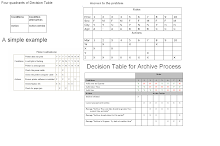
Important image details for the Decision tables
Risk Management
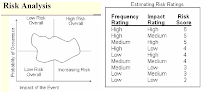
Risk Management